Skip to content
View in the app

A better way to browse. Learn more.

VimeWorld - Форум

A full-screen app on your home screen with push notifications, badges and more.

To install this app on iOS and iPadOS
  1. Tap the Share icon in Safari
  2. Scroll the menu and tap Add to Home Screen.
  3. Tap Add in the top-right corner.
To install this app on Android
  1. Tap the 3-dot menu (⋮) in the top-right corner of the browser.
  2. Tap Add to Home screen or Install app.
  3. Confirm by tapping Install.

Рп от Drag0nSlayer

Featured Replies

С этим ресурспаком я играю очень давно. Мне он очень нравится!
Я подумал, почему бы не скинуть его сюда, может он и здесь кому то понравится! 
▬▬▬▬▬▬▬▬▬▬▬▬▬▬▬▬▬▬▬✘✞✘▬▬▬▬▬▬▬▬▬▬▬▬▬
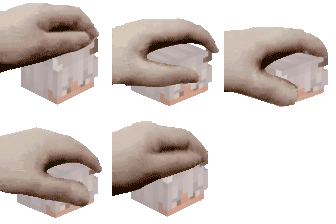
Сейчас я покажу вам картинки с этого ресурспака и попытаюсь заставить вас скачать скачать данный ресурспак :D


Название: NoName (SuicideResource)

Авторы: NoName (Редачил Drag0nSlayer)

Ссылка на скачивание внизу


Надеюсь я не зря потратил столько времени на презентацию, надеюсь вам понравился данный ресурспак (ну или нет). Спасибо всем за прочтение данной темы. Человек, который редачил ресурспак - https://forum.vimeworld.ru/user/133356-drag0nslayer/


up


up

  • 1 month later...
  • 3 weeks later...

Create an account or sign in to comment

Recently Browsing 0

  • No registered users viewing this page.

Account

Navigation

Search

Search

Configure browser push notifications

Chrome (Android)
  1. Tap the lock icon next to the address bar.
  2. Tap Permissions → Notifications.
  3. Adjust your preference.
Chrome (Desktop)
  1. Click the padlock icon in the address bar.
  2. Select Site settings.
  3. Find Notifications and adjust your preference.