Перейти к публикации
View in the app

A better way to browse. Learn more.

VimeWorld - Форум

A full-screen app on your home screen with push notifications, badges and more.

To install this app on iOS and iPadOS
  1. Tap the Share icon in Safari
  2. Scroll the menu and tap Add to Home Screen.
  3. Tap Add in the top-right corner.
To install this app on Android
  1. Tap the 3-dot menu (⋮) in the top-right corner of the browser.
  2. Tap Add to Home screen or Install app.
  3. Confirm by tapping Install.

ZumaPlay_

Активный игрок
  • Зарегистрирован

  • Посещение

ZumaPlay_

Считайте что мне уже 20 лет Happy Birthday to me! 

Happy Birthday GIF by Mumbai Indians

поздравляю желаю щастья и здоровья 

ZumaPlay_

Почему когда включаешь одну и тот же трек, тебе не надоедает ?! [А потому что я вдохновляюсь]

ZumaPlay_

Вот и вернулся на форум.

ZumaPlay_

Васек. Добрый день! Есть у вас пюрешка с курицей ?

ZumaPlay_

Врач Umbrella cooperation

ZumaPlay_

Спасибо за блокировку <3

ZumaPlay_

Ой меня спалили у заброшки, где хотел забрать кое-что необычное...

ZumaPlay_

Как дела ?

_Indifina_ ;D понимаю)

ZumaPlay_

Кому пиццу ?

ZumaPlay_

Пончики, айфончики.. Покемончики, айфончики.. [Бит] Чики чики [Бит] Чики чики

ZumaPlay_

Можно мне KitKat ?

ZumaPlay_

Бан Duble kill [в самом нижнем спойлере] Персоналы лучшие <3

ZumaPlay_

Okssi, С днем рождения :3

У Насти сегодня ДР? Прикольно...
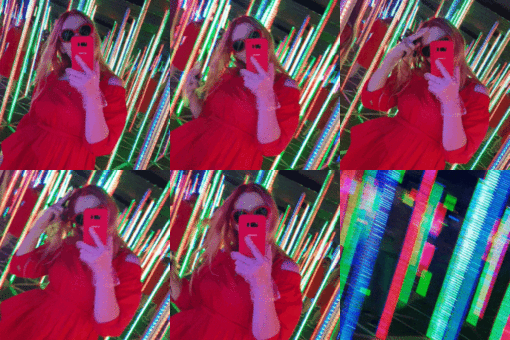
Спасибо)

ZumaPlay_

Может быть, я мертв. Или перед вами дую в шею?!

ZumaPlay_

Всем пиривет!)

ZumaPlay_

Interesting moments in life

Account

Navigation

Поиск

Поиск

Configure browser push notifications

Chrome (Android)
  1. Tap the lock icon next to the address bar.
  2. Tap Permissions → Notifications.
  3. Adjust your preference.
Chrome (Desktop)
  1. Click the padlock icon in the address bar.
  2. Select Site settings.
  3. Find Notifications and adjust your preference.